How to Optimize Your Files with Metadata Management
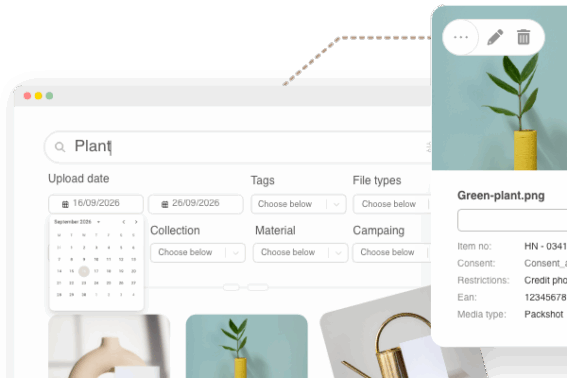
Metadata gives structure to your file library. Instead of relying on complex folder systems or inconsistent naming conventions, you can attach clear, searchable information to each file — like project name, campaign, client, region, or license expiration date. With Kontainer’s flexible system of custom metadata fields, teams can enrich files with exactly the information they need to work smarter and faster.
Why Metadata Management Matters
The larger your file library becomes, the harder it is to keep track of versions, usage rights, and project assets. Metadata helps you:
- Find files instantly with structured filters and smart search.
- Collaborate smoothly by standardizing how assets are categorized.
- Stay compliant with clear visibility into license rights and expiration dates.
- Reduce duplication by ensuring everyone works from the same source of truth.
In short: metadata transforms file chaos into clarity.
Kontainer’s Approach to Metadata
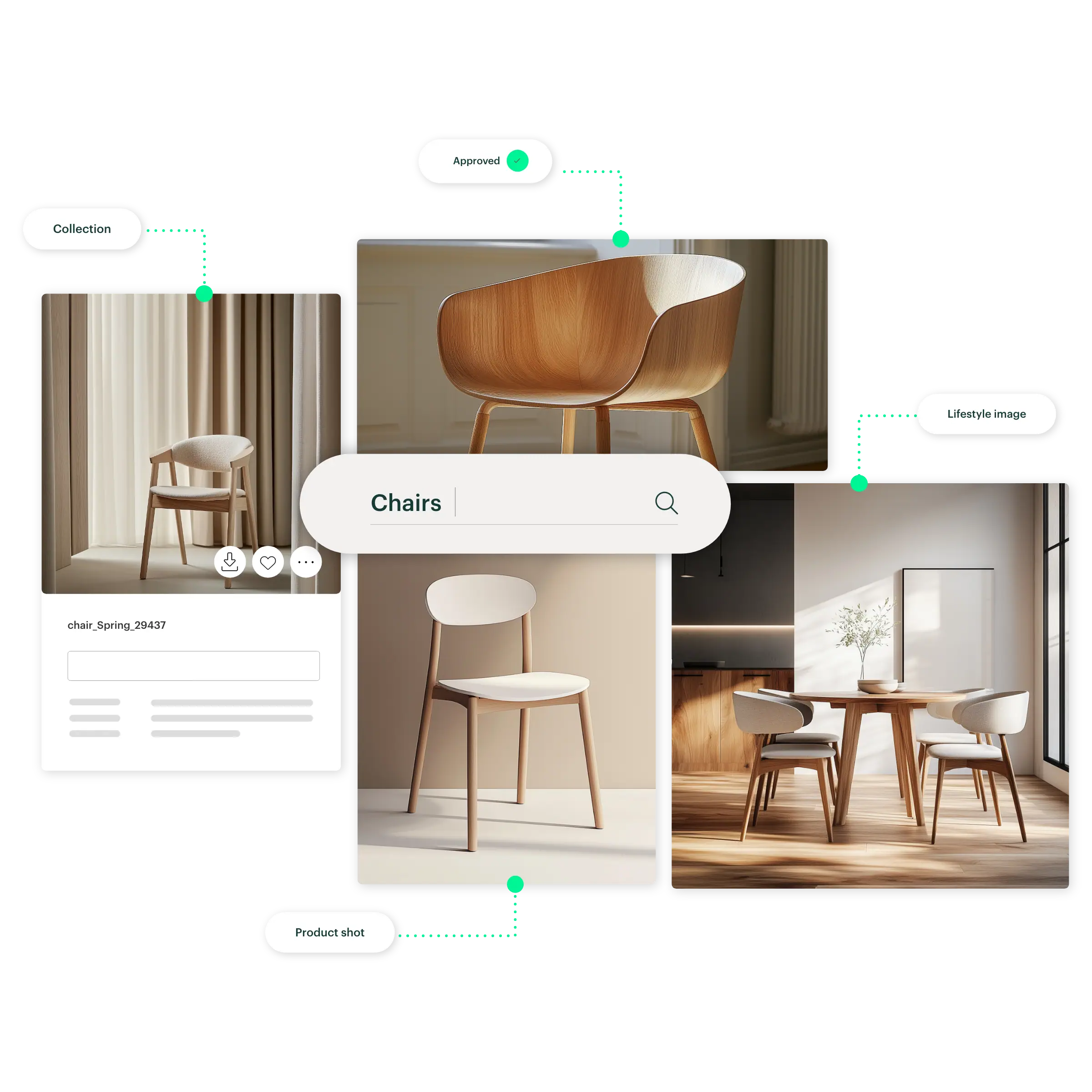
Kontainer allows organizations to define their own metadata fields to match their workflow. Whether you want to tag by product line, customer, campaign phase, or approval status, your asset library becomes searchable and filterable in ways that mirror your business.
- Create custom fields that fit your needs.
- Use metadata to filter, sort, and search your assets.
- Control permissions on who can edit or view specific fields.
- Build metadata-driven views and workflows to guide projects from draft to approval.
This flexibility means your system adapts as your business grows and changes — not the other way around.
Explore more Kontainer DAM functions.
Best Practices for Smarter Metadata
To get the most out of metadata management, consider these proven tips:
- Start with a clear taxonomy — Define the key categories you really need (e.g., campaign, client, region, status). Keep it simple to start.
- Enforce consistency — Use dropdowns or predefined values instead of free text to avoid errors and typos.
- Leverage permissions — Make sure only the right people can edit sensitive fields, like license details.
- Automate workflows — Let metadata drive actions, such as marking files “approved” or flagging assets when rights expire.
- Audit regularly — Review and clean up your metadata fields to keep them relevant and efficient.
The Payoff
When metadata is well-structured and consistently applied, teams see major benefits:
- Faster asset retrieval.
- Less duplication and wasted effort.
- Stronger compliance and rights management.
- Clear workflows that scale with growth.
- Metadata is more than just file information — it’s the foundation of a streamlined digital asset ecosystem.
In conclusion: With Kontainer’s customizable metadata fields, your files become easier to organize, govern, and use — ensuring your digital assets work for you, not against you.
Learn more about Kontainer DAM.
Frequently Asked Questions
1. What is metadata management for digital assets?
Metadata management is the process of organizing and tagging files with structured information such as campaign name, client, usage rights, or approval status. This makes files easier to find, filter, and govern within a digital asset management (DAM) system like Kontainer.
2. How does metadata help me find files faster?
Instead of relying on file names or folders, metadata lets you filter and search by relevant criteria — for example, “All images for Campaign X in Region Y with approved status.” This saves time and reduces the risk of using the wrong file.
3. Can I create my own metadata fields in Kontainer?
Yes. Kontainer allows you to define custom metadata fields that match your organization’s workflows. You decide what information is important — whether it’s project phases, client names, regions, or license expiration dates.
4. How does metadata improve collaboration?
By standardizing how assets are tagged, metadata ensures that teams and partners speak the same “language.” Everyone works from the same source of truth, avoiding confusion, duplication, and inconsistent file use.
5. What are best practices for metadata management?
Start with a simple, clear taxonomy. Use dropdowns or predefined lists for consistency. Limit editing permissions for sensitive data. Automate workflows (like approvals or rights tracking) based on metadata fields. And review your metadata regularly to keep it relevant.