




Charlotte S.
Web Manager
"Many useful features for people both inside and outside the organization."





















































”Kontainer is easy to use for both regular users and administrators”


Ricola

Red Cross

SELECT SPORT
Blue Water Shipping
AVK International

Baum und Pferdgarten
FAQs – Kontainer for Educational Institutions
How can Kontainer help educational institutions with organizing and sharing digital files?
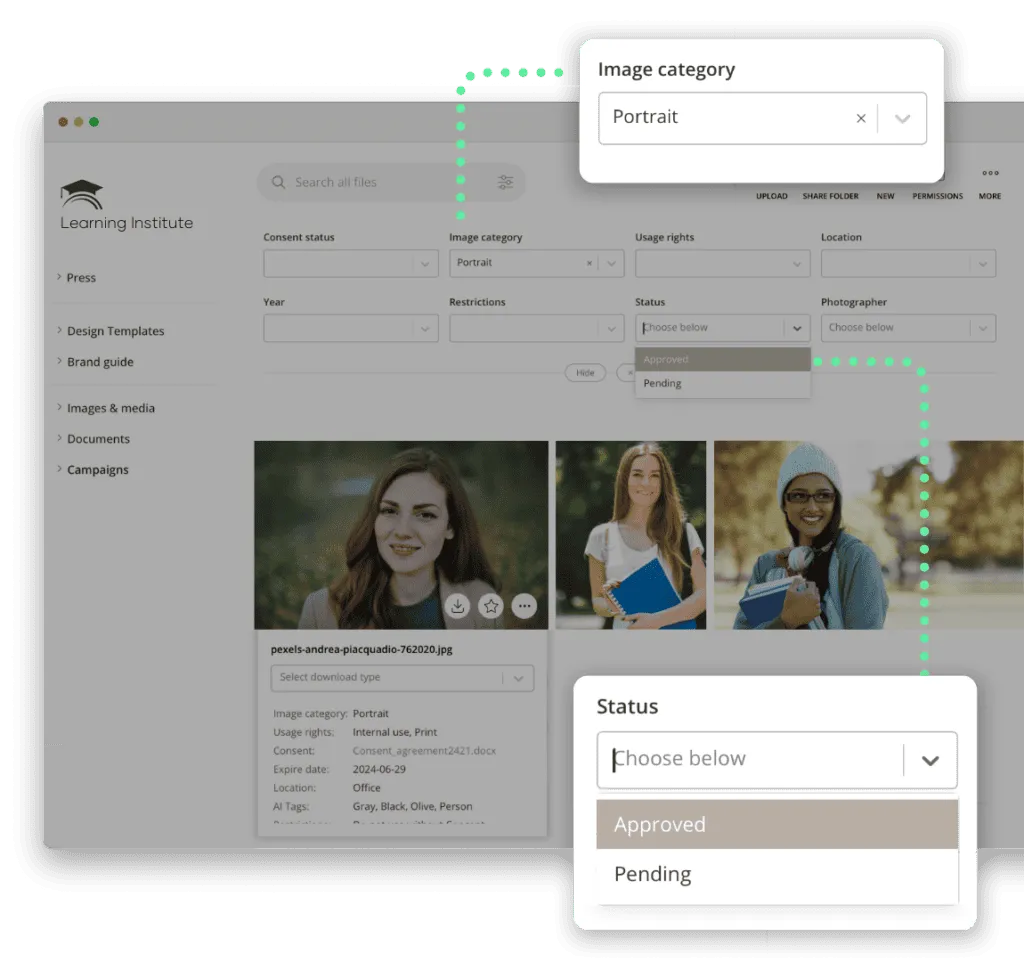
Kontainer offers a user-friendly Digital Asset Management (DAM) platform for organizing, tagging, searching, converting, and sharing photos, videos, logos, graphics and other files. The system supports integrations with tools such as Adobe InDesign, Word and Facebook, making it easy for educational institutions to share content both internally and externally.
What file types does Kontainer support?
You can store all file types in Kontainer, and the system supports previewing of over 100 file formats. It helps organize, store and distribute these files efficiently, enhancing collaboration and ensuring the security of your digital content.
How does Kontainer ensure that our digital files are protected and accessible to users?
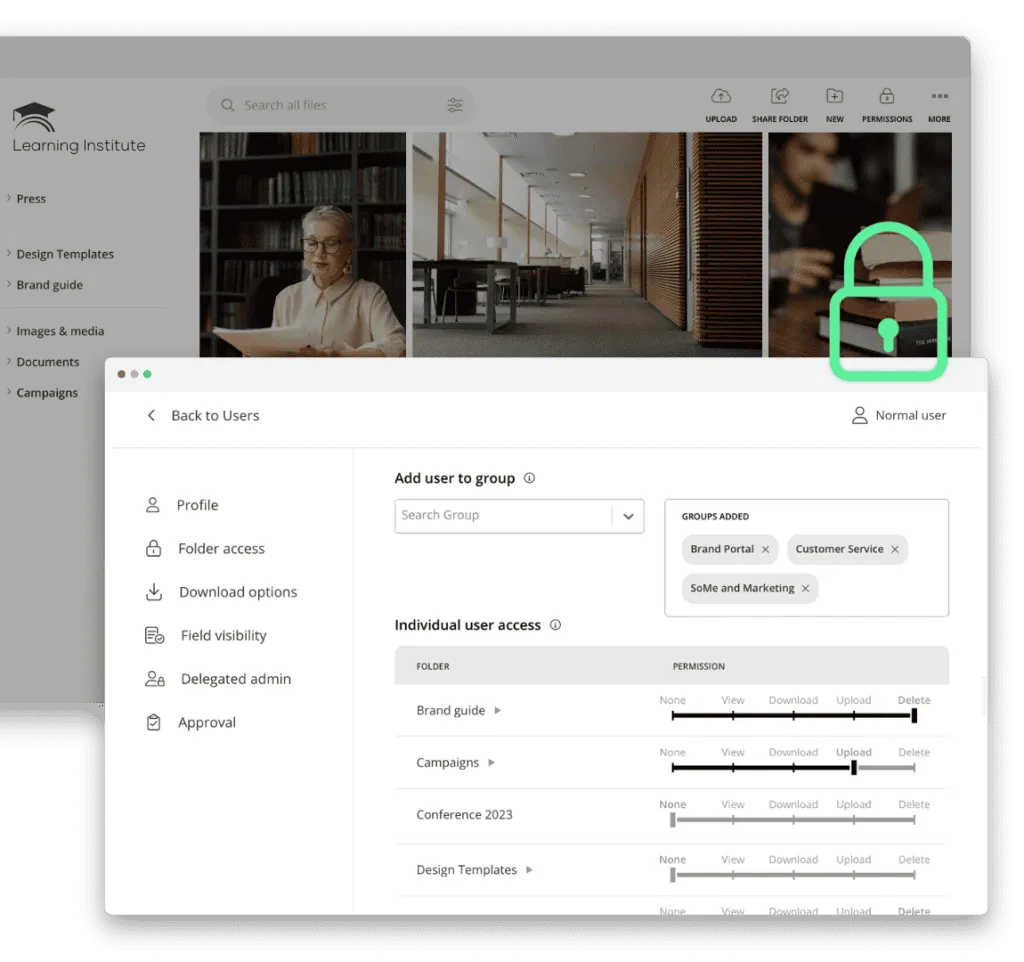
Kontainer allows you to create users and groups with specific access permissions. You can easily control who has access to which content and define whether users can download, upload or only view files. This ensures that your digital assets are protected and only accessible to authorized users.
Can Kontainer be integrated to our existing platforms/software?
Yes, Kontainer supports integrations with a wide range of systems and platforms, including Adobe Creative Cloud, Microsoft Office, WordPress and many more. This allows you to centralize your digital files and ensure a seamless workflow across various tools.
How can we get started with Kontainer?
Try Kontainer with a free 30-day trial to see if it’s right for you. If you choose Kontainer, we offer a tailored onboarding program along with plenty of support to ensure that you and your colleagues get up and running quickly, making the system a valuable tool in your daily work.