
Description
Brand assets directly in Microsoft Office
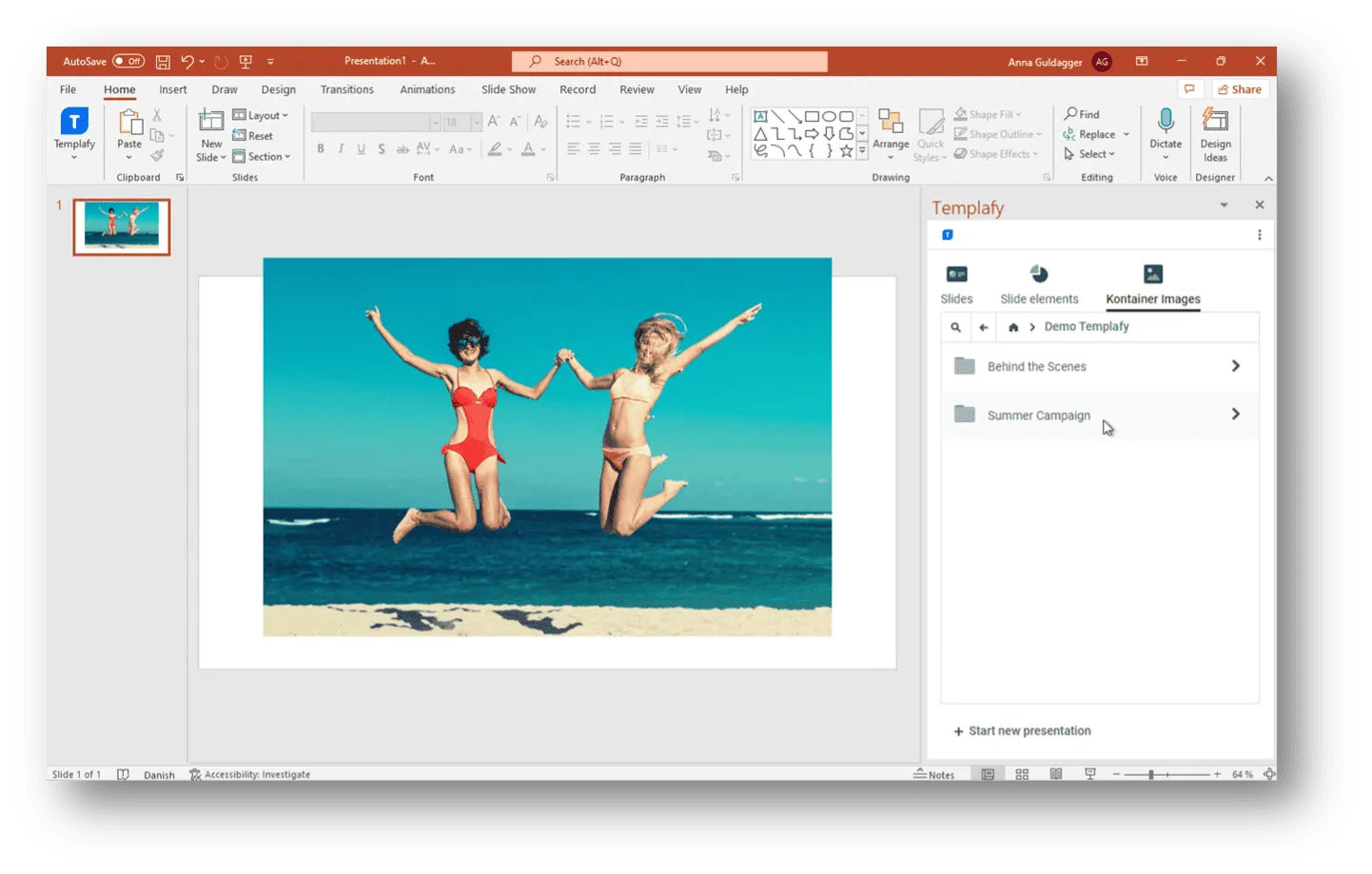
The Templafy integration ensures that everyone in the organization always works with the latest, approved assets from your DAM. Whether it’s presentations, documents, or emails, users can easily find and insert images and files from Kontainer directly into the Templafy plugin.
This strengthens both efficiency and brand compliance.
Benefits
Benefits of the integration
between Templafy and Kontainer
✔ Insert images, logos, and files from Kontainer directly into Office via Templafy
✔ Ensure consistent use of approved assets – no outdated versions
✔ Faster workflows – no manual uploads/downloads
✔ Centralized rights and access management in Kontainer
✔ Make it simple for employees to follow brand guidelines
Features
Features in the Templafy and Kontainer Integration
✔ Direct access to Kontainer files in the Templafy plugin
✔ Supports Word, PowerPoint, and Outlook
✔ Option to add different asset types (e.g., images, icons, slides)
✔ Synchronization of the latest files from Kontainer
✔ Setup with Base URL, Client ID, and Client Secret
Why?
Why is the Templafy + Kontainer integration important?
One of the biggest challenges in large organizations is ensuring that everyone works with the correct files. Without integration, outdated or unauthorized versions of logos, images, or slides often get used. With Kontainer + Templafy, employees gain direct access to the DAM inside the Office programs they use every day – enabling faster workflows and a consistent brand identity.
Use Cases
Typical Use Cases
- Marketing and sales always insert the latest product images into presentations
- HR uses approved images in internal documents
- Communications ensures Outlook emails always include the correct logos and visuals
- Teams across different markets access brand assets directly from Kontainer
Support
Links and Support
If you have questions, we’re happy to help with setup, training, and best practice.
Please write us at support@kontainer.com
You can read more about Templafy and its configuration in our Helpdesk.
FAQ
How does the integration work?
With the Templafy integration, you can insert images, logos, and other assets directly from Kontainer into Office programs (Word, PowerPoint, Outlook) via the Templafy plugin
Which programs are supported?
The integration works in Microsoft Word, PowerPoint, and Outlook through the Templafy Office plugin
What do I need to get started?
You need to have Templafy added to your Kontainer plan. You will then receive an email with the details (Base URL, Client ID, and Client Secret) required for the setup in Templafy
Can I control which files users have access to?
Yes. Access rights are managed centrally in Kontainer, ensuring users only see and use the files they are authorized to.
How does the integration ensure I’m using the latest files?
Templafy pulls the assets directly from Kontainer, so users always work with the most up-to-date and approved versions
What are the practical benefits?
- Faster creation of documents and presentations
- Direct access to approved assets in Office programs
- Better version control – no outdated files in circulation
- Stronger brand compliance across the organization