
Kontainer CDN | Images, video & product media

Deliver images, video and product media through one CDN

Global Connection Lines showcasing Kontainer CDN network

Kontainer CDN delivers the images, videos and files in your DAM and PIM directly to websites, webshops, newsletters and apps – resized, converted and compressed on request from a single master file.

No exports, no duplicate uploads and no separate image or video service. Your content stays managed and permission-controlled in Kontainer, while the CDN takes care of fast, reliable delivery.

Book demo now

What is a CDN for digital assets?

A content delivery network (CDN) delivers files to the end user quickly and reliably. Kontainer CDN is built directly into Kontainer DAM and PIM: every image, video or file can get its own CDN link, ready to use on a website, in a webshop, in a newsletter or in any system that accepts a URL.

The result is shorter load times, higher availability, better security and resilience, and delivery that scales with your traffic – without moving files to a separate hosting service.

Resize, convert and compress images via the URL

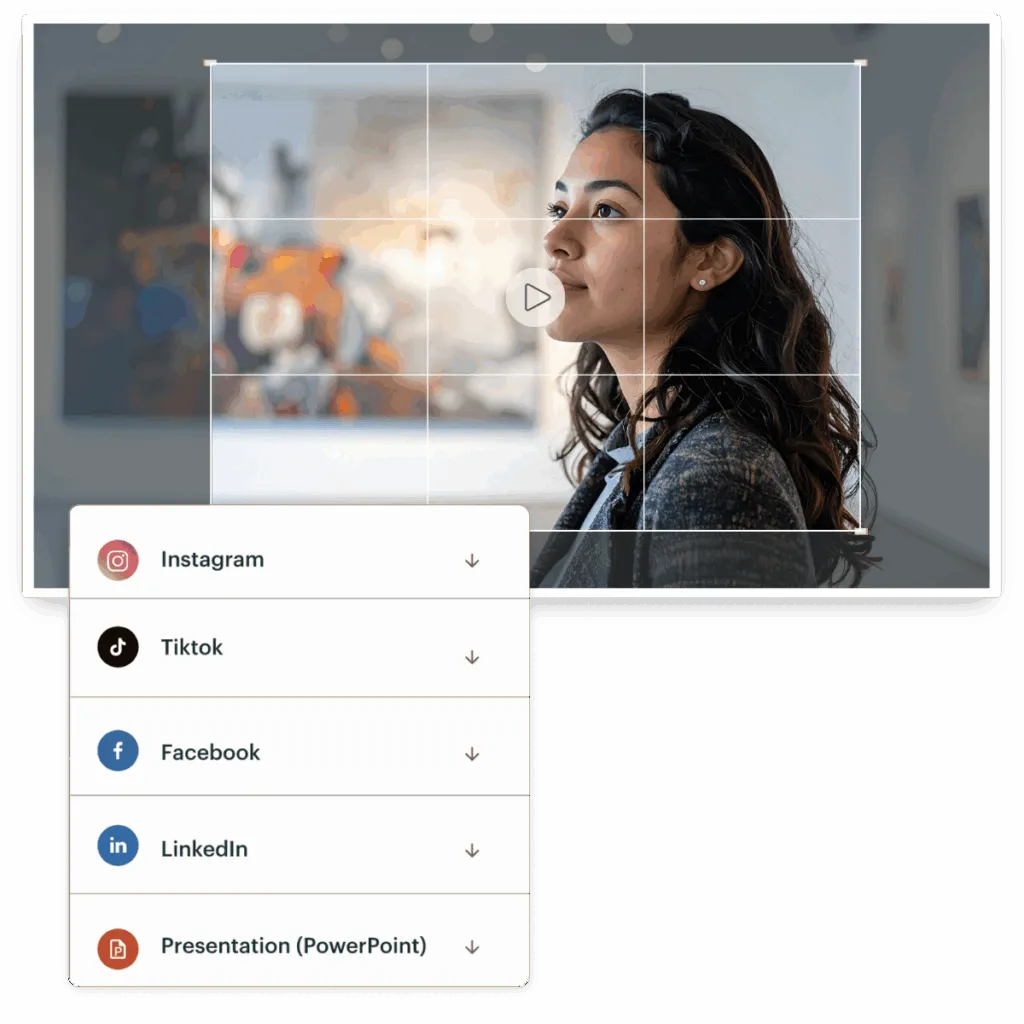
One master file can serve every channel. Add simple parameters to a Kontainer CDN link, and the image is delivered exactly as you need it:

  • w and h – width and height for proportional resizing
  • q – image quality from 0 to 100
  • d – apply one of your predefined download formats
  • File extension – switch between JPG, PNG, GIF, WebP, AVIF and TIF

Serve lightweight WebP or AVIF on your website, a fixed format in your webshop and a high-resolution version for partners – all from the same file in Kontainer.
Read the CDN guide

VIDEO CDN & STREAMING

Stream and embed video directly from your DAM

Kontainer Video CDN streams video straight from Kontainer to websites, webshops and intranets – no external video platform required. Generate a direct link or an IFRAME or HTML embed code, and combine it with video download templates to control format and quality.

Configure the player with autoplay, loop, mute, controls and size, and control playback from your own site through the player’s JavaScript interface. Videos are delivered cookie-free and GDPR-compliant from servers located in the EU, in multiple quality levels for smooth playback on any device – with automatic subtitles that can be translated into several languages.

Explore the video content management system
Kontainer DAM video download templates for converting and streaming video
Kontainer PIM connecting product data to webshops, marketplaces and other systems
CDN FOR PIM

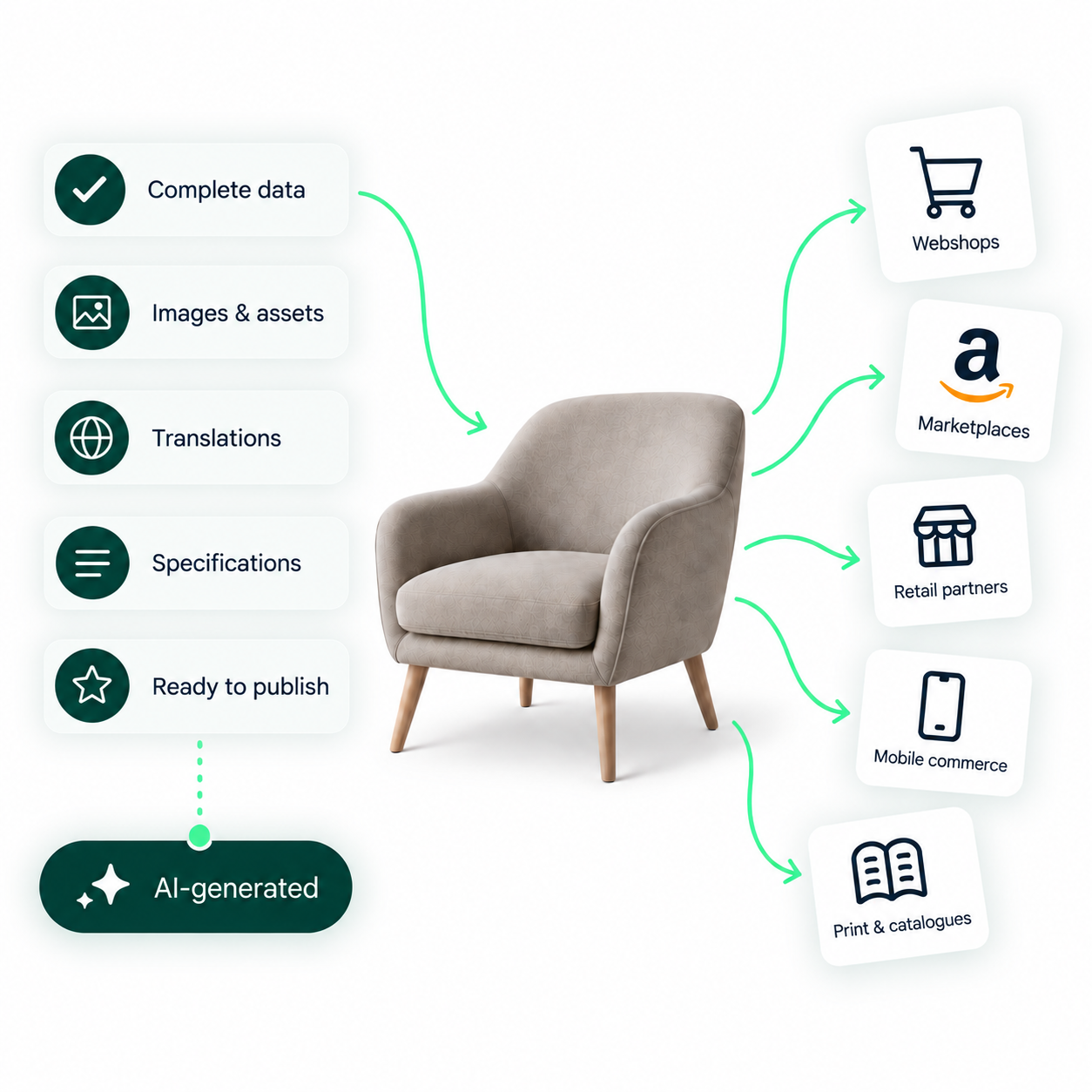
Product images, videos and files – ready for every channel

In Kontainer, assets are linked from the DAM to products in the PIM. Every product image, product video and file attached to a product therefore benefits from the CDN as well.

Instead of uploading the same packshot to every webshop and sales channel, you deliver it from one place – in the size and format each channel needs. Combined with Kontainer’s PIM integrations, product data and product media stay aligned across your tech stack.

Read about Kontainer PIM
HOW IT WORKS

From file to CDN link in three steps

  1. Activate CDN on the file in Kontainer.
  2. Choose a download template if you need a specific size, format or video preset.
  3. Copy the Embed URL – the CDN link with your template applied – or the Download URL for a direct file download.

CDN is activated per file, so you decide exactly which files are delivered publicly. Everything else stays protected by Kontainer’s user and permission management.

The CDN panel in KontainerSimplified illustration of the CDN panel for a file in Kontainer: 1 activate CDN, 2 choose a download template, 3 copy the Embed URL, which includes the template. The Download URL is a direct file download.CDNActiveEmbed URLhttps://your-account.cdn.kontain…Use download templateOriginalDownload URLhttps://your-account.cdn.kontain…132or123ActivateSwitch on CDN for the fileChoosePick a download template forsize, format or video presetCopyEmbed URL – the CDN link withyour template. Or use DownloadURL for a direct download.
Use Kontainer CDN with your CMS, webshop and marketing tools
Plugins and the API make it easy to place CDN-delivered images and video wherever you work.

HubSpot

Work faster and create more engaging HubSpot websites and landing pages with direct access to your centrally managed image library in Kontainer DAM.
Hubspot logo

Shopify

With Kontainer's Shopify Connector, you can automatically transfer product data, images, and files directly from your PIM & DAM into your Shopify store.
Kontainer shopify logo

Shopware

The integration between Shopware and Kontainer DAM enables automatic synchronization of product images, videos, and other digital assets to your Shopware products.
Kontainer Shopware logo

WordPress

With Kontainer's WordPress plugin, you can easily insert approved images and files directly from your DAM into your WordPress pages and blog posts.
WordPress to Kontainer Integration

Umbraco

Integrate Kontainer directly with your Umbraco CMS and access your entire DAM library while building and maintaining your company's website content.
Kontainer umbraco logo

Drupal

With the Kontainer module for Drupal, editors can access, import, and manage digital assets from Kontainer without ever leaving the Drupal admin interface.
Drupal Logo

TYPO3

With the Kontainer integration for TYPO3, editors and developers get direct access to the entire media library without leaving the TYPO3 backend.
Typo 3 logo

Strapi CMS

Select images and files from Kontainer directly inside Strapi v5 — no uploads, no duplicate files, just a single reference delivered fast via CDN.
Strapi logo

Payload

Get a seamless integration between Kontainer DAM & PIM and the modern code-first CMS Payload, giving editors direct access to approved digital assets.
Payload logo showing integration with Kontainer

Contentstack

Integrate Kontainer DAM with Contentstack CMS and insert images, videos and files via the filepicker as fast, reliable CDN links, every single time.
Kontainer Google Docs ikon

Storyblok

Work smarter with your content by integrating Kontainer DAM with Storyblok CMS, giving editors direct access to approved, brand-consistent images and files.
Storyblok logo

API

With the Kontainer API integration, you can connect your existing systems directly to Kontainer through a secure, reliable software-to-software interface.
Rest API icon
CDN and delivery features in Kontainer
Kontainer - Large Files
CDN links
Share files on websites and in newsletters from Kontainer with CDN view or download links to ensure ongoing compliance and records.
Kontainer - Large Files
CDN-links & embeds
Generate direct CDN links as well as IFRAME and HTML embed codes for easy publishing across digital channels.
Kontainer - Large Files
Retrieve CDN URLs
Conveniently retrieve the needed CDN links to files directly via our API
Kontainer - Download sets
Crop & convert file formats
Convert, crop, select color and create download formats that can be used again and again with the editing tool in Kontainer Digital Asset Management (DAM)
crop icon
Auto-cropping & reformatting
Pre-set size, quality, format, naming, color, etc. for one-click downloads and exports
Video streaming
Stream video directly from Kontainer with a responsive player for websites, intranets, webshops, and digital campaigns.
Kontainer - Integrations
IFRAME & HTML
Embed video using what you know best. Various formats available.
Approved icon
Cookie-free
Non-cookie-based streaming to support user privacy and consent.
Video Download Templates: download video i det format og den kvalitet, du har brug for
Video Download Templates
Automatically convert videos to different formats, resolutions, aspect ratios, frame rates, and qualities directly at download.
Automatisk undertekstgenerering, transskribering og download på video
Automatic Subtitles
Automatically transcribe speech, edit text and timing, upload existing subtitles, and translate into multiple languages.
Kontainer - GDPR
GDPR Compliant
Kontainer is GDPR compliant with a ISAE 3402 certification
Kontainer - Integrations
Integrations & API
Use video content and automate workflows via Kontainer's API and integrations with your existing tech stack.

How much CDN traffic is included?

CDN is included in Kontainer’s Professional, Premium and Enterprise plans, each with a monthly traffic allowance:

  • Professional: 400 GB per month
  • Premium: 2 TB per month
  • Enterprise: 4 TB per month

Need more? Extra CDN traffic can be purchased as an add-on. Video streaming is available as an add-on on Professional and Premium and is included in Enterprise.


See pricing

Next-level organization, automation, and more.

Get a 30-minute personal presentation

See how Kontainer can simplify file and data management so that you can focus on your goals. We will show you:

  • How Kontainer fits your needs
  • Inspiration from other customers similar to you
  • Platform features and functionality
  • Best practices and considerations regarding DAM & PIM
  • Answers to any questions you may have


Kontainer customer support agents

Kontainer-DAM-PIM_Capterra_G2_five-stars


FAQ about Kontainer CDN

What is a CDN in a DAM system?

A CDN (content delivery network) in a DAM system lets you deliver files straight from the DAM to websites, webshops and other channels via a direct link. In Kontainer, every image, video or file can get its own CDN link, so you do not need to export files or upload copies to a separate hosting service.

What is Kontainer CDN used for?

Kontainer CDN is used to publish images, video and product media from Kontainer DAM and PIM on websites, webshops, newsletters, CMS platforms, HubSpot and apps. The benefits are shorter load times, higher availability, better security and resilience, and delivery that scales with your traffic.

How do I get a CDN link for a file in Kontainer?

Open the file in Kontainer, activate CDN for it, and choose the size, format or template you need. You can then copy the direct CDN link or, for video, an IFRAME or HTML embed code. See the CDN guide in our helpdesk for details.

Can I resize or convert images through a CDN link?

Yes. Add parameters to the CDN link: w and h for proportional width and height, q for image quality (0–100) and d to apply a predefined download format. Change the file extension in the URL to switch format. The master file in Kontainer is never changed.

Which image formats can Kontainer CDN deliver?

Kontainer CDN can deliver images as JPG, PNG, GIF, WebP, AVIF and TIF. Modern formats such as WebP and AVIF are well suited for fast-loading websites and webshops.

Can I stream video through Kontainer CDN?

Yes. With Kontainer Video CDN, you can stream video directly from Kontainer using a direct link or an IFRAME or HTML embed code. Video download templates control format and quality, and videos are delivered cookie-free and GDPR-compliant from servers located in the EU.

Does the CDN also work for product images in Kontainer PIM?

Yes. In Kontainer, assets are linked from the DAM to products in the PIM, so product images, product videos and other files attached to a product can be delivered via the CDN to webshops and other sales channels.

How much CDN traffic is included in Kontainer?

Monthly CDN traffic is included in the Professional (400 GB), Premium (2 TB) and Enterprise (4 TB) plans. Extra traffic can be purchased as an add-on. See the pricing page for current plans.

Can I use Kontainer CDN links in HubSpot and newsletters?

Yes. CDN links work anywhere that accepts an image or file URL, including HubSpot, newsletter tools and CMS platforms. In addition, Kontainer offers plugins for systems such as HubSpot, WordPress, Shopify, Drupal and Umbraco.

Is Kontainer CDN secure?

CDN is activated per file, so only the files you choose are delivered publicly, while everything else stays protected by Kontainer’s user and permission management. Kontainer holds ISO 27001 and ISAE 3402 certificates, and video is streamed cookie-free from servers in the EU.

Integrations
Cases
Contact
News
  • PIM
    1. Product Information Management
    2. Features
    3. Integrations
    4. ESG & CSRD
    1. PIM – Shopify Connector
    2. AI in Kontainer PIM
    3. Implementation PIM
  • DAM
    1. Digital Asset Management
    2. AI in Kontainer DAM
    3. Brand Platform
    4. Photo Consent Tool
    1. Features
    2. Integrations
    3. Implementation DAM
    4. Video content management
  • Customers
    1. Client cases
    2. Design and lifestyle brands
    3. Manufacturing
    4. Public Administrations
    1. Hospitality & Leisure
    2. Fashion Kontainer
    3. NGO's
    4. Architects, engineers and contractors
    1. Educational institutions
    2. Healthcare
  • About
    1. About us
    2. Contact
    3. Customer Success
    4. API Integration
    1. FAQs
    2. Find a partner
    3. Become a Partner
  • Pricing
    1. DAM Pricing
    2. PIM Pricing
  1. Book demo
    Free trialFree trial
    • English
    • Dansk
    • Deutsch
    • Español
    • Nederlands
    • Svenska

Copenhagen
Studiestraede 19, 4, 1455 København
+45 3311 2003

München
Landsberger Straße 155, 80687 München
+49 089-54558206

News
  1. What is a Digital Asset Management (DAM) System?
  2. The great guide to Product Information Management (PIM)
  3. Improve your ROI with a DAM integration to your webshop
  4. Kontainer is GDPR compliant
  5. Dropbox Alternative
  6. See all News
Industries
  1. Fashion Kontainer
  2. Image bank for architects, engineers and contractors
  3. Manufacturing
  4. Hospitality & Leisure
  5. Image Bank for NGOs
  6. Image bank for Public Administrations
Solutions
  1. Digital Asset Management
  2. Product Information Management - PIM
  3. Photo Consent Tool
  4. File Management
  5. Sales Presentation Tool
  6. CDN for digital assets
Contact & Security
  1. Contact
  2. Find a partner
  3. Become a partner
  4. API Integration
  5. GDPR, Security and Hosting
  6. Terms and conditions
  7. Cookie & Privacy Policy
  8. FAQs
Choose language
  • English
  • Dansk
  • Deutsch
  • Español
  • Nederlands
  • Svenska
Rated 5 out of 5 on G2Rated 4.5 out of 5 on Capterra
Copyright 2026 Kontainer All rights reserved.
  1. Imprint
  2. Sitemap